
Free Keyword Tool
Discover new keywords and performance data to use in your SEO content, Google Ads campaigns, and more.
Keyword Form
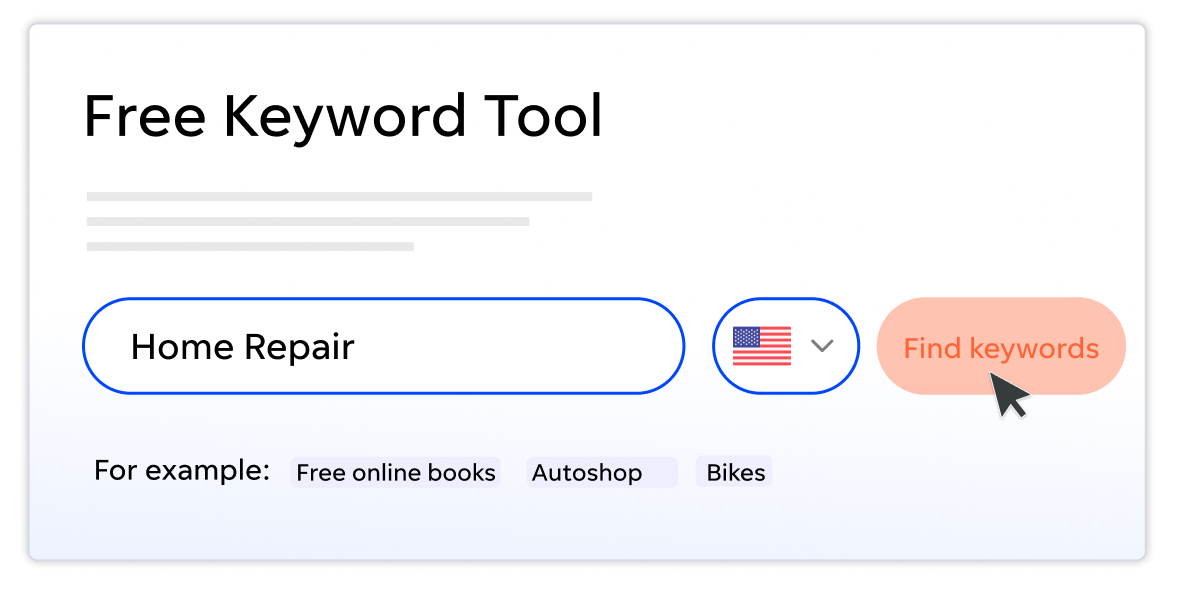
How to use the Free Keyword Tool
1 Find new
keywords
Enter a keyword or website URL to get hundreds of relevant keyword results. Add an industry and location for an even more tailored list.
2 Research and prioritize
Get your list of keywords, plus accurate keyword volume and cost per click data, to find the right keywords to target and maximize your marketing budget or enhance your content strategy.
3 Put your keywords to work
Download your full keyword list as a CSV and use it to guide your SEO and AI search strategy and paid advertising campaigns. Feed it directly into Google Ads to get started right away!
WordStream’s Keyword Research Tool: What it does and how it works
Keyword research is one of the first crucial steps in any search marketing campaign—organic, AI, or paid. But most free keyword suggestion tools offer limited results and limited utility, especially with keyword research for PPC.
To drive search engine traffic and influence AI search results, whether through organic search or paid search advertisements, you need the right list of keywords today, plus a process to expand it over time. That’s where our free tool comes in.
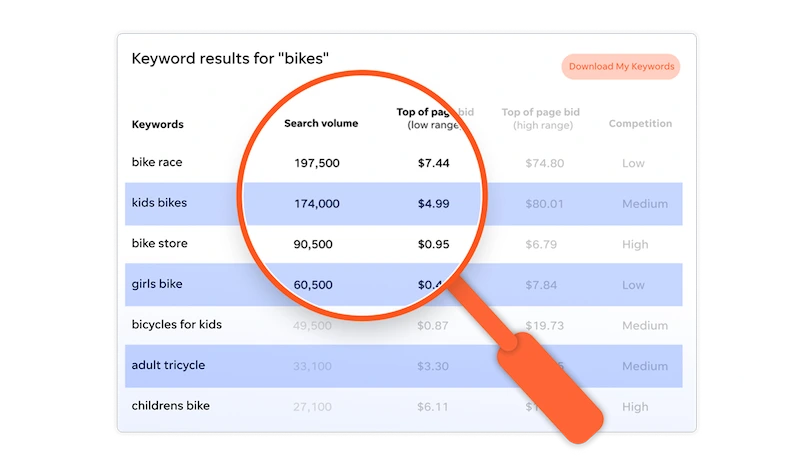
Businesses that rely on WordStream’s Free Keyword tool get:
- A complete list of keywords. Search by keyword or URL, and you’ll receive a list of related keyword suggestions. You can even filter by location and industry for more refined results.
- Essential metrics. See each keyword’s search volume, competition data, and top page bid range. Use these stats to understand each keyword’s popularity and how much it might cost to run ads against them.
- Free access to the information. See the first 25 keywords and associated analytics immediately, then download the entire list as a CSV file. Run the tool unlimited times to build a comprehensive keyword strategy.
- Actionable intelligence to inform your SEO and AI search strategy or paid ads. Review your keywords to find relevant topics to write about in your website content or on your blog. Or, upload your CSV directly into Google Ads to use it in your upcoming paid search campaign.
Brought to you by WordStream, supported by Google
Our Free Keyword Tool uses the latest Google search data to deliver accurate, targeted ideas to inform your organic content creation and paid advertising campaigns. Whether you’re seeking terms to rank for in AI search, traditional SEO, or paid ads, this tool can help.
WordStream’s software and services, including our award-winning Google Ads Performance Grader, help businesses and agencies take the guesswork out of pay-per-click advertising so you get more from your marketing budget.

The Free Keyword Tool reviews
“I rarely get excited about SEO and SEM tools…But, when it comes to keyword research, it is virtually impossible to produce a quality worksheet without software. When I have to perform the same task for my customers, the process is even more daunting and time-consuming. There is now a better way to manage huge keyword lists, and this tool is called WordStream.”
—Mihaela Lica, Search Engine Journal

“I’ve tried pretty much every major keyword tool (free or paid), and WordStream’s free tool is still my first recommendation for small businesses starting keyword research. You get real volume, competition, and CPC data filtered by industry and location, and you can export the whole list without hitting a paywall, and the UI is excellent.”
—Tom Demers, Co-Founder & Managing Partner, Measured SEM LLC

“As search engine marketing grows as an industry, it’s inevitable that new technology will evolve to fill in the gaps where current solutions fall short. Case in point is WordStream’s tool that specifically helps raise productivity for handling, assembling, and segmenting your keyword list.”
—Josh Dreller, Search Engine Land

Get your free keyword research list and start optimizing your traditional and AI-powered search campaigns today!
The Free Keyword Tool from WordStream: FAQs
Keyword research can be a slog, but WordStream’s Free Keyword Tool makes it fast and easy to find the keywords your business needs to drive traffic through organic and paid search.
If you’ve got questions about WordStream’s Free Keyword Research tool, you’ve come to the right place. Read on to learn more about keyword research basics, what the tool can do, and how to use its output to improve your content strategy and paid ad campaigns.
What is keyword research?
Keyword research is the process of identifying the search terms and phrases real people are using to find brands or solutions like the one your business offers. It can help you write website content that ranks for those phrases in traditional search or appear in AI queries. Plus, keyword research can inform your advertising campaigns and bidding strategies in paid search.
What is a keyword research tool?
A keyword research tool helps you identify and analyze terms and phrases that might be useful for your business to target in its marketing materials, whether that be on-site copy or digital ads. The tool provides essential information like the keywords your audience might search for, the average search volume for each, and how difficult it is to rank for each term.
Is WordStream’s Free Keyword Tool really free?
Yes, WordStream’s Free Keyword Tool is totally free. When you run your search, you can view the first 25 keywords directly on the site. To see the rest, simply add your email address, and we’ll send you a CSV file of the complete list. You can run the tool as many times as you’d like–free every time!
Where does the keyword data come from?
The WordStream Free Keyword Tool’s keyword and keyword search volume data is sourced through the Google keyword research API.
How is the WordStream Free Keyword Tool a good Google Keyword Planner alternative?
WordStream’s Free Keyword Tool gives you hundreds of relevant keyword results, plus additional, actionable intelligence like competition level and estimated CPC, all for free! It’s an awesome alternative to Google Keyword Planner.
WordStream’s free keyword research tool is intended to work alongside Google Ads’ built-in offering. Both tools allow you to search for keywords to add directly to your account. One advantage WordStream’s keyword search tool has over Google Keyword Planner is the inclusion of concrete search volumes, rather than search volume ranges. Our hope is that this feature makes it easier for users to identify the exact keyword searches that matter to them.
As a Google Partner, our keyword finder benefits from a direct line to Google’s API, so you know the data you receive is verified and credible.
What keyword metrics are important to consider?
Critical keyword metrics to watch include search volume, competition or keyword difficulty, and cost per click or top page bid range.
- Search volume tells you how many times a month people seek out a specific term.
- Keyword difficulty or competition indicates how hard it is to rank on the first page of search results.
- Cost per click shows how much you would pay per click against a term if you were to run paid ads, while top page bid range shows the low and high ends of what you might pay for your ad to be shown on page one of search results. A keyword with a higher CPC often indicates a higher conversion rate.
How do I find long tail keywords?
Long tail keywords are detailed search terms someone might enter if they’re looking for a solution to a specific problem (Think terms like: “best neck pillow for an international flight” or “tree care for insect damage Connecticut”).
A keyword research tool can help you find relevant long tail keywords for your business and provide essential metrics like search volume, keyword difficulty, and top page bid range to help you identify which terms to target.
Other free, simple ways to uncover long tail keywords include turning to Google’s autocomplete predictions for inspiration, reading through Google’s “people also ask” section for related queries, and asking AI chatbots for suggestions.
How do I find related or popular keywords?
When you’re conducting keyword research, you’re on the hunt for hidden gems: keywords you wouldn’t have thought of on your own and those that are popular among searchers.
Using WordStream’s Free Keyword Tool, you can begin in one of two ways. Enter a URL, either from your website or a competitor’s, or start with a keyword you think pertains to your products and services.
WordStream is a related keyword generator and keyword popularity tool in one: it will not only tell you the keywords that have the highest search volume, it will surface keywords tied to your starting keyword that may be beneficial to your ad account or content strategy.
How can I use the Free Keyword Tool to spy on my competitors’ keywords?
Try typing your competitors’ homepage URLs into the URL bar. This will surface keywords they could realistically benefit from if they bid on or write about them. Incorporating those same keywords into your website content or advertising plan can position you to gain some of your competitors’ traffic.
Can I use the Free Keyword Tool for SEO, AI search, and PPC?
The Free Keyword Tool was built to find and analyze PPC keywords. But it can 100% be used for SEO and AI keyword research as well.
The search volume information is accurate whether you’re bidding on a keyword or writing organic content for it. Search volume is pivotal to search marketing, as it gives you the ability to understand which keywords prospects are searching for the most in your industry. Find a good mix of search volume, competition level, and intent for your products and services, and you’ll be in a good spot.
Using the tool to identify informational and long tail keywords can point you toward terms and topics that might be a good fit for blog posts or website content. Write to these keywords to position your site to appear in traditional search results and in AI-powered search.
What should I do next?
You’ve got your keywords…now what? We’ve got you covered.
- If you want to learn more about keyword research: Download our keyword research guide >>
- If you want to learn more about search advertising: Download our PPC 101 guide >>
- If you want to learn more about AI search: Download our AI search toolkit >>
- If you want more free tools: Try our Free Tools page >>
- If you want help with your marketing and advertising: Talk to one of our experts >>