About the Author


✨ Quick overview
This article provides a practical checklist to improve email deliverability—helping ensure your marketing emails land in inboxes instead of spam folders by focusing on technical setup, list quality, sending practices, and engagement signals.
Key takeaways
- Authenticate email sending with SPF, DKIM, and DMARC so inboxes trust your messages.
- Maintain clean, permission-based lists and prune inactive or invalid addresses.
- Sender reputation and engagement (opens, replies, clicks) influence inbox placement.
- Follow compliance and best practices in content to avoid spam filters.
- Consistent sending patterns and monitoring help keep deliverability strong.
Have you ever found a critical email buried in your spam folder? Personally, I’ve seen everything from bank to government emails hiding amongst spam, not to mention lots of messages from businesses.
How do you avoid ending up in this dreaded folder yourself? By giving your email deliverability a little attention.
Admittedly, email deliverability might seem complicated at first since it involves working on several different elements. I promise, it’s not as difficult as it seems.
In this article, I’ll break down everything you need to do to nail it down so your emails stay out of spam and land at the top of your audience’s inbox.
Contents
- What is email deliverability?
- The comprehensive email deliverability checklist
- Why email deliverability is more complex in 2026
- Email deliverability testing tools
What is email deliverability?
Let’s get one thing clear right off the bat: email delivery and email deliverability aren’t the same.
Email delivery means your marketing email was accepted by the recipient’s mail server and delivered to the inbox, no matter the folder.
On the other hand, email deliverability is about whether your delivered email lands in the user’s main inbox (where it will be seen) or in the spam folder (where it’s likely to be ignored).

For example, if you send 100 emails and none bounce, you have 100% delivery. But if 20 of them went to spam folders, your email deliverability is only 80%.
💡 Want to send better marketing emails? Download The Complete Email Marketing Toolkit
The comprehensive email deliverability checklist
A single spam trap hit can take 6-12 months to fully recover from. So you can’t wait for a problem to fix it; you have to avoid them from the start. Ideally, you’ll run through this checklist before you launch an email campaign.
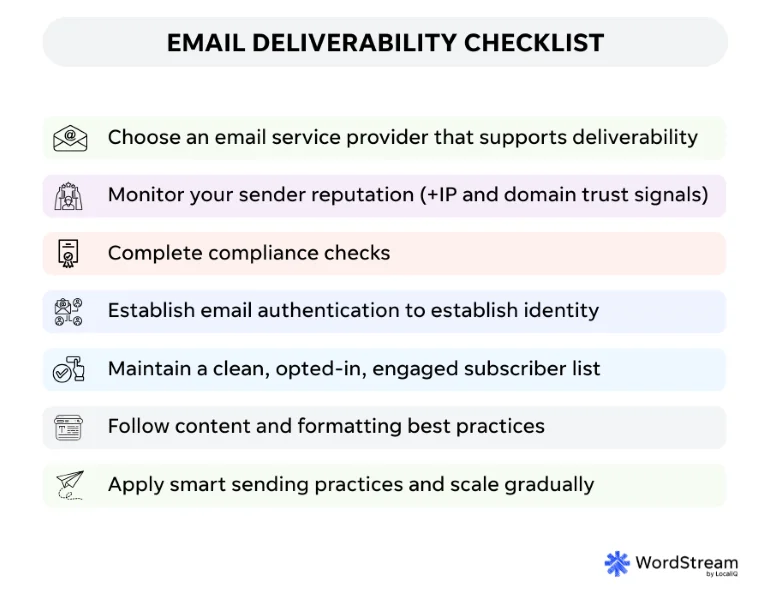
Here’s the complete checklist and a detailed breakdown of how to complete each action on it.
| Email deliverability action | Description |
| Choose the right email service provider | Select an ESP that supports strong deliverability. |
| Monitor your sender reputation | Track IP and domain trust signals regularly. |
| Complete compliance checks | Meet regional laws and unsubscribe requirements. |
| Establish email authentication | Authenticate emails so inboxes can verify your identity. |
| Manage your email list | Maintain clean, opted-in, engaged subscriber lists. |
| Follow content and formatting best practices | Avoid spam signals with clear, honest email content. |
| Apply smart sending practices | Send consistently and scale volume gradually. |
Choose the right email service provider
Your email service provider (ESP) plays a big role, as it powers your email infrastructure by managing SMTP servers, IP reputations, and more.
So, even though deliverability is a shared responsibility, the right ESP is half the battle.
Here’s what to look for in an ESP:
- Shared vs. dedicated IP: Shared IPs mean your fate is tied to other users. Great for new senders if well-managed. Dedicated IPs, on the other hand, give full control but need warming and upkeep. Look for an ESP that offers the version you need.
- Built-in deliverability tools: Good ESPs flag spam complaints, bounces, and blacklist issues. Some even clean lists for you.
- Infrastructure and protocols: The best ESPs provide SPF, DKIM, and DMARC support. Look for BIMI support if branding matters.
- Throughput and throttling: Quality ESPs pace large sends to avoid spam filters.
Monitor your sender reputation
Sender reputation is essentially the “score” Internet Service Providers (ISPs) assign to you as a sender IP or domain. The score is based on your sending history.
A good reputation means you’re known to send wanted, engagement-friendly emails.
Bad reputation means you’ve had issues (e.g., spam complaints, high bounces, etc.), and future emails are more likely to be filtered.
Your email sender reputation can be split into two parts:
- IP reputation: Reflects how much inbox providers trust your sending IP. It’s key to getting past corporate filters and smaller providers.
- Domain reputation: A broader metric that tracks your sending and link domains across all IPs.
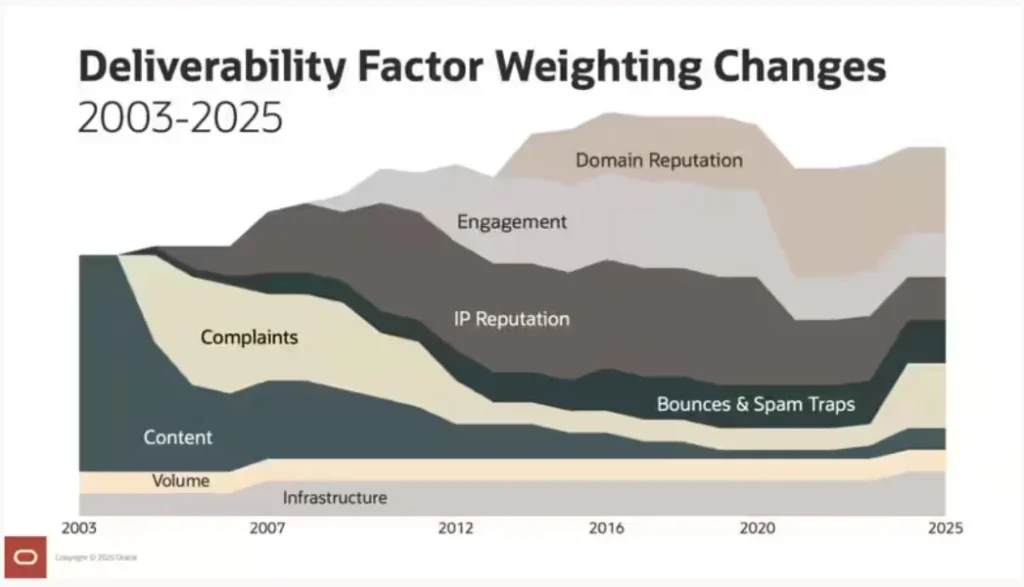
As we head into 2026, domain reputation, engagement, and IP reputation are becoming the leading factors for deliverability.
Here’s how to keep your sender reputation spotless:
- Keep your spam complaint rate below 0.1%.
- Ensure bounce rate stays below 2%.
- Keep an eye out for metrics like open rates, clicks, replies, etc.
- Use tools to monitor sender reputation. For example, Google Postmaster gives you a clear view of your Gmail domain’s health.
- Audit your sender domain and IP reputation, or manually check if you have made it to popular email blacklists like Spamhaus, Barracuda, Proofpoint, etc.
- Watch for these symptoms to recognize spam traps:
- Suspicious domains like noreply@, example.com, or typo domains like gnail.com.
- Generic or role-based emails like info@, admin@, support@, sales@.
Complete compliance checks
This step helps you stay on good footing with various compliance rules and organizations.
- Check if you are following the rules based on your recipients’ regions, like GDPR (EU), CAN-SPAM Act (US), etc.
- Ensure the email body has a working and noticeable unsubscribe button.
- Insert your physical mailing address in the footer.
- Avoid misleading subject lines, fine-print opt-outs, or tricky pre-checked boxes.
Establish a strong technical setup and email authentication
The proper technical setup pays off massively, especially in the long term, and consists of implementing the following email authentication protocols.
- SPF (Sender Policy Framework):
- Keep your SPF record updated with all services you use.
- Watch out for the “permission.”
- Don’t exceed 10 DNS lookups, or SPF will auto-fail.
- DKIM (DomainKeys Identified Mail):
- Add DKIM to your domain via your ESP or mail server.
- Use 1024-bit or 2048-bit keys for strong security.
- Ensure DKIM signatures are valid.
- DMARC (Domain-Based Message Authentication, Reporting & Conformance):
- Start with p=none (monitor only). You’ll get reports on failed auth attempts and spot spoofing.
- Work toward p=quarantine or p=reject. These policies actively block unauthorized senders.
- Ensure domain alignment. The domain in your ‘From’ address must match the one passing SPF or DKIM, or both.
- See who’s sending on your behalf and whether your mail passes checks.
- BIMI (Brand Indicators for Message Identification):
- Prepare DMARC with p=quarantine or p=reject and proper alignment.
- Secure a VMC (Verified Mark Certificate). For Gmail, this proves you own the logo/trademark.
- Publish your BIMI record in DNS so it links your logo to your domain.
Manage your email list
The marketing world has always echoed the saying, “Your list is your strategy.” So, managing your email list thoroughly is one of the must-dos for deliverability.
Here are the steps for comprehensive list management:
- Use proper opt-in practices:
- If using a single opt-in, add protections like CAPTCHA and clean your list often.
- Never buy email lists, as they damage your sender’s reputation and may violate laws.
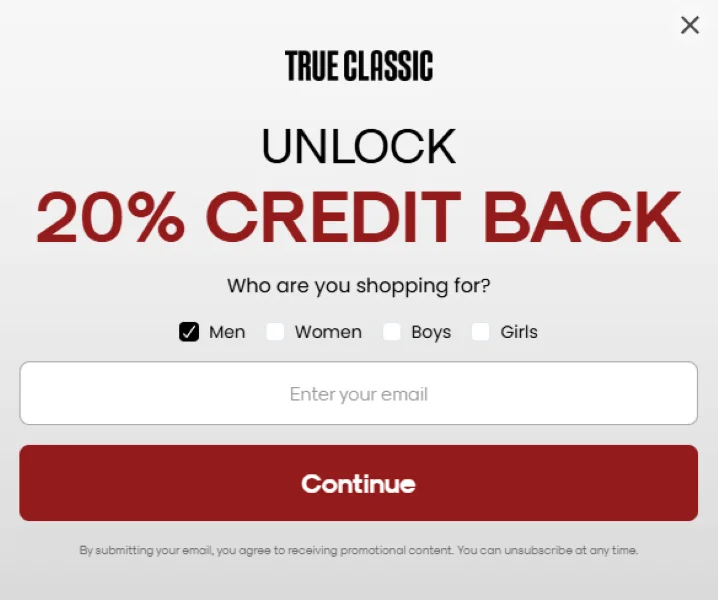
Offer clear verbiage explaining what people will get when they subscribe.
- Employ smart segmentation:
- Divide your list based on engagement, behavior, or demographics.
- Send personalized content that matches interests or activity levels.
- Use local time zones to improve open rates.
- Honor unsubscribes and spam complaints:
- Remove unsubscribers within 48 hours (required by Gmail/Yahoo).
- Use unsubscribe headers, buttons, etc. in the email for one-click removal since unsubscribing should be as easy as possible.
- Monitor spam complaints and suppress those contacts automatically.
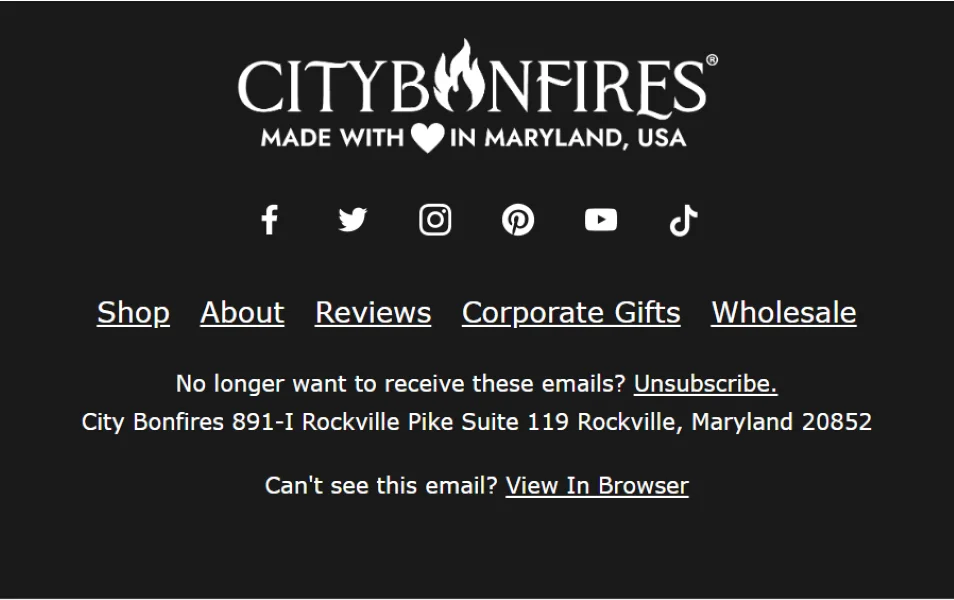
Each email should have a clear, one-click way to unsubscribe.
- Use data management and preference centers:
- Let users manage their email preferences like frequency, topics, etc.
- Keep records like sign-up dates and engagement logs clean. You’ll need them to prove consent and engagement if challenged by an ISP.
- Maintain proper content list hygiene:
- Remove invalid, bounced, or unsubscribed addresses.
- Use email verification tools to catch dead or fake email addresses.
- Find users who haven’t opened or clicked in months.
- Make sure everyone on your list has opted in to receive your emails.
- Send your emails to a segmented audience you believe will truly find them valuable.
Pro tip: Instead of deleting inactive users from your list, simply move them to an ‘inactive users’ group. Then, target them with a re-engagement campaign later on.
Use email content and formatting best practices
Even with perfect authentication and a genuinely built list, your email’s content can make or break its deliverability.
Spam filters still examine what’s inside the email, like the words, formatting, links, etc. And content is what brings user engagement.
So, here’s a list for your email content and formatting:
- Subject lines:
- Avoid misleading promises or clickbait, and keep it honest.
- Avoid ALL CAPS, spammy words, and excessive punctuation (e.g., “Make $$$ fast!!!”).
- Use 3–5 word subject lines with extra context in the preview text.
- Match the subject line with the rest of the email content.
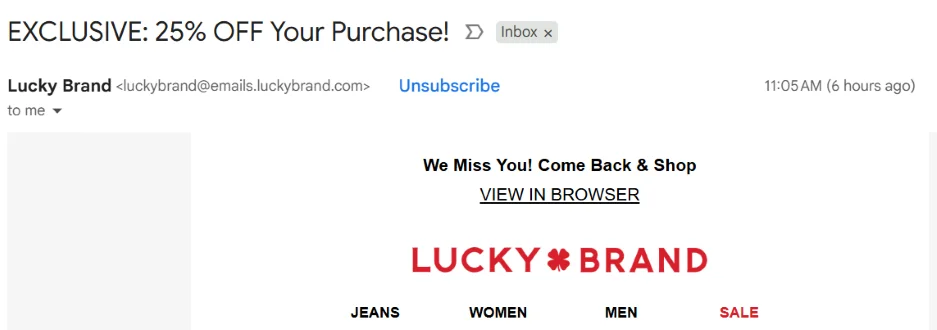
Be clear and transparent in your email subject lines.
- HTML structure and text balance:
- Ensure HTML is clean and well-formed and avoid broken tags or bloated code.
- Include a plain text version of every email.
- Keep a balanced text-to-image ratio (e.g., don’t send one big image with no text).
- Use real, readable text to support your message.
- Images and other media:
- Adjust the images to keep email size low (<100KB preferred for Gmail).
- Add ALT text for accessibility and a fallback if images don’t load.
- Host images on trusted domains or Content Delivery Networks (CDNs).
- Avoid hotlinking from suspicious sites.
- Don’t use irrelevant or off-brand visuals.
- Balance text, links, and images. Avoid sending standalone giant images or standalone suspicious links.

Use images that are relevant to your target audience so they know the email is for them.
- Links and URLs:
- Avoid URL shorteners like bit.ly since most spam filters flag them.
- Use your domain or trusted tracking links from your ESP.
- Regularly check outbound links for blacklisting or malware.
- Ensure all links use HTTPS and lead to content that aligns with your brand.
- Include only reputable URLs in your emails.
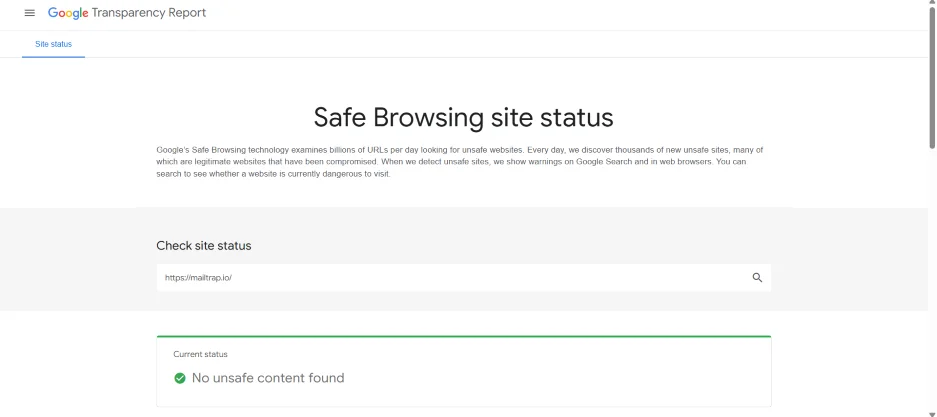
Hot tip: You can check if a URL is safe using the Google Transparency Report. Just paste the domain URL, and Google will return the safety status of the site.
- Spam triggers and red flags:
- Avoid buzzwords like “free,” “limited offer,” and hidden/camouflaged text.
- Don’t use large fonts, invisible text, or shady formatting.
- Personalization and tone:
- Although starting an email with “Hi John” is always better than “Dear Customer,” you should avoid over-personalization.
- Match the tone and topic of your content with your brand and with what your subscribers expect.
- Use a clear “From” name and address to reflect your brand identity.
Apply smart sending practices
ISPs treat new senders like new credit card applicants. Which means ISPs want to see a record, and suggest changes in sending frequency or volume can hurt your reputation. Your sending practices should address these requirements.
To warm up your IP/domain for a new campaign:
- Send low volumes at first. Begin with 1–2K emails/day per provider (e.g., Gmail, Outlook), then ramp up slowly.
- Target engaged users first. This shows ISPs you’re sending wanted mail.
- Add volume daily or weekly as long as engagement stays solid.
- Watch for ISP feedback like deferrals. For example, if you get “421 Try again later,” that’s a sign you’re going too fast.
Here’s how you can build a consistent sending cadence to avoid sudden shifts:
- Send emails at regular intervals (e.g., same day each month).
- Don’t jump from one email/month to five emails per week overnight.
- Avoid big spikes like an email blast after a silent period.
- Send occasional emails during the off-season and holidays (this keeps your domain reputation active).
Why email deliverability is more complex in 2026
Even though ensuring high email deliverability was never a piece of cake, major email providers have only made it harder with stricter rules and smarter filters.
Google, Yahoo, and Microsoft announce stricter guidelines
In 2024, Gmail and Yahoo required bulk senders to follow specific rules, including:
- Proper authentication (SPF, DKIM, DMARC)
- Low spam complaint rates (under 0.3%)
- One-click unsubscribe button in the body of the email
- Unsubscribing is effective within two days
- TLS encryption
- Valid DNS records
Microsoft followed suit in 2025 and laid similar strict guidelines for bulk senders.
AI made spam filtration smarter
In 2026, Google’s filters don’t rely just on static rules (e.g., “flag emails with X words”).
They analyze sender reputation, user interactions, and content patterns using machine learning. So, tricks to bypass spam won’t cut it anymore. The content in your emails must be valuable and compliant with the guidelines.
Apple’s Mail Privacy Protection (MPP) is more widely used
Apple’s Mail Privacy Protection (MPP) is now being widely used by Apple Mail users, and it’s changing how open rates work.
For example, MPP preloads email images, including tracking pixels, even if the user never opens the email. As a result, many emails appear “opened” when they weren’t.
That makes open rates unreliable for deliverability.
Before this development, senders removed “inactive” subscribers based on opens. Now, they have to observe signals like clicks, replies, or website visits to judge if the email was ever opened.
User engagement and domain reputation signals grow in importance
Mailbox providers in 2026 heavily factor user behavior to decide if your emails should keep hitting the inbox. For instance, if recipients consistently delete your emails without reading or rarely ever click, that’s a negative signal.
On the other hand, if users open, reply, forward, or move your messages from spam to the inbox, those are positive signals.
Gmail looks at how users interact with your mail over time. High engagement can improve your placement, while a lack of engagement can slowly deteriorate it. This means, in 2026, you need to:
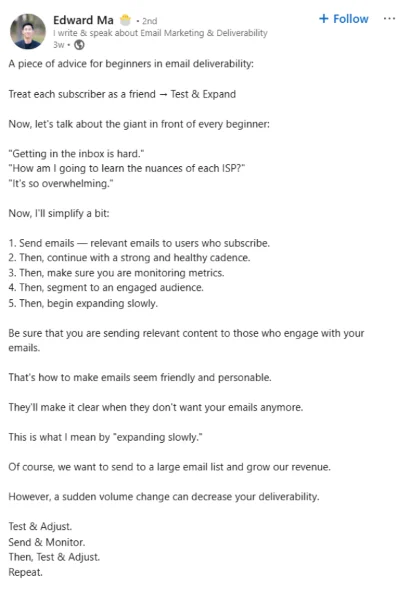
- Make sure your recipients get quality emails that are relevant to them.
- Slowly expand your audience to ensure your campaigns are getting enough clicks.
Edward Ma explains this beautifully in his LinkedIn post:
🛑 Find your missing growth opportunities! Get 10 Marketing Gaps That Cost You Customers (& How to Fix Them)
Email deliverability testing tools
To help you go through the checklist and more, I recommend some of the following email deliverability testing tools.
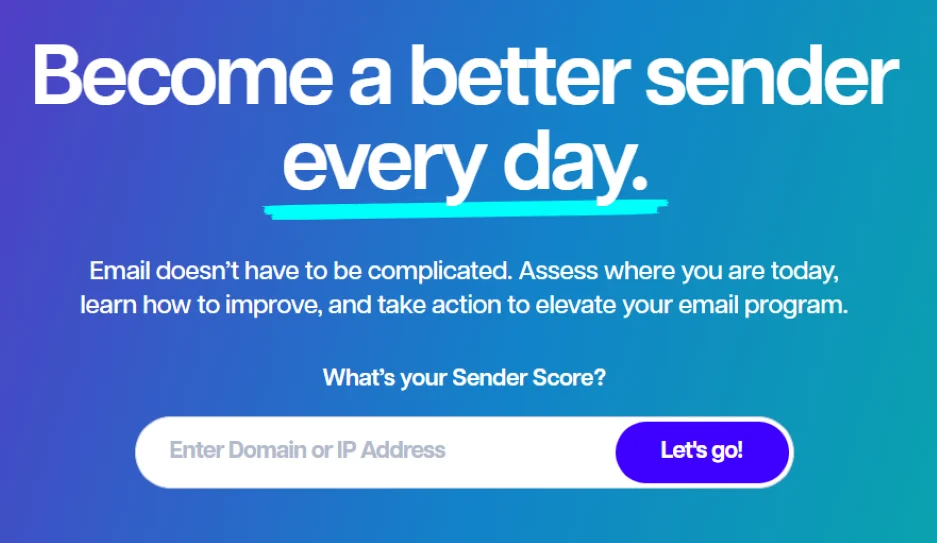
Sender Score
Sender Score helps you evaluate your domain’s reputation. It assigns a “Sender Score” to each IP address you use for sending emails. It also checks key authentication records and website security certificates.
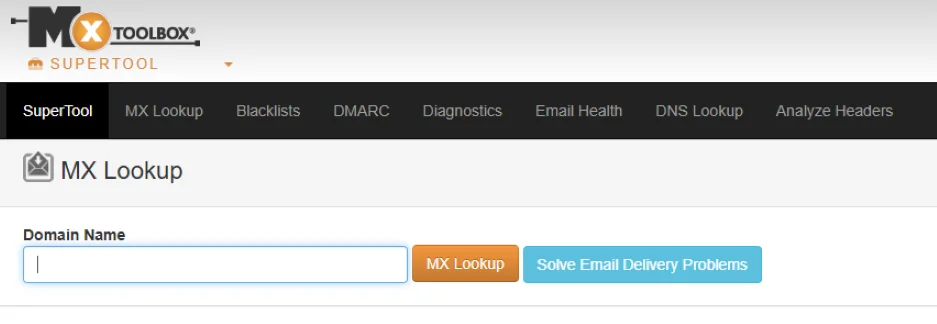
MxToolbox
MxToolbox is a suite of free tools for checking your email reputation. Besides the well-known Blacklist tool, it also offers options to validate email authentication settings and overall domain health.
Postmark tools
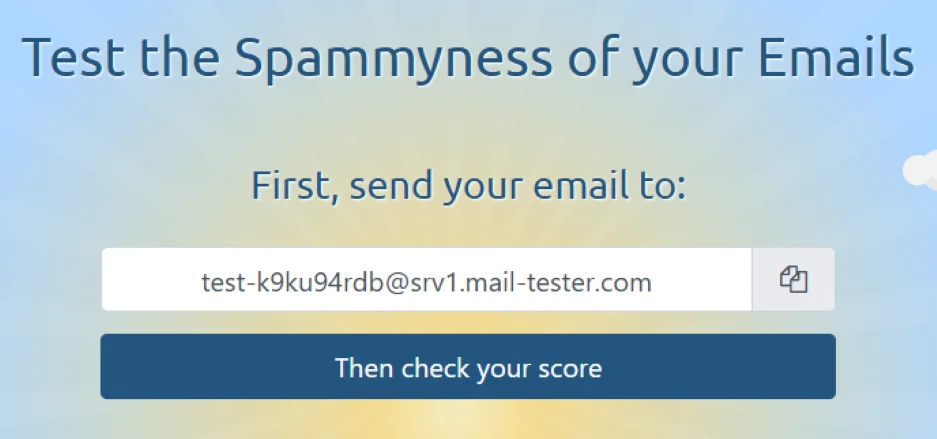
Mail-tester.com, Isnotspam.com, and Spamcheck by Postmark are simple tools for quick reputation checks. Just send an email to the provided address and get a full report with clear suggestions for improvement.
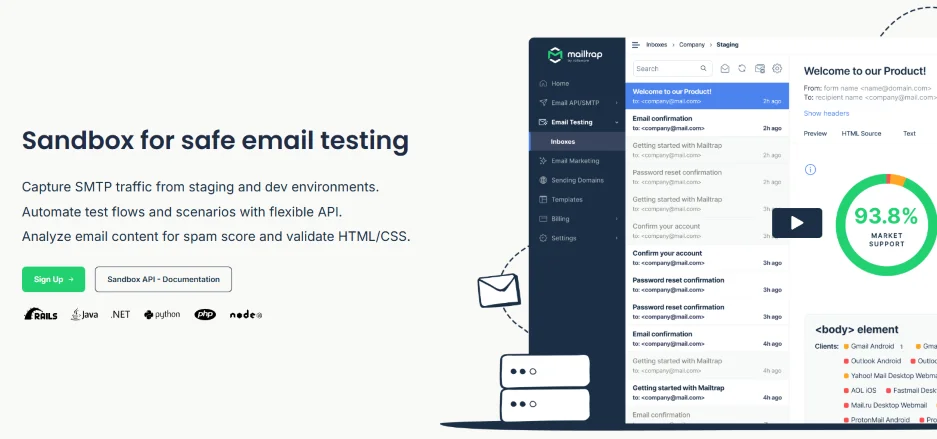
Mailtrap Email Sandbox
Use Mailtrap’s Email Sandbox to safely test your email workflows. You can preview how emails appear in different clients, check spam scores, and confirm proper delivery without risking real recipients.
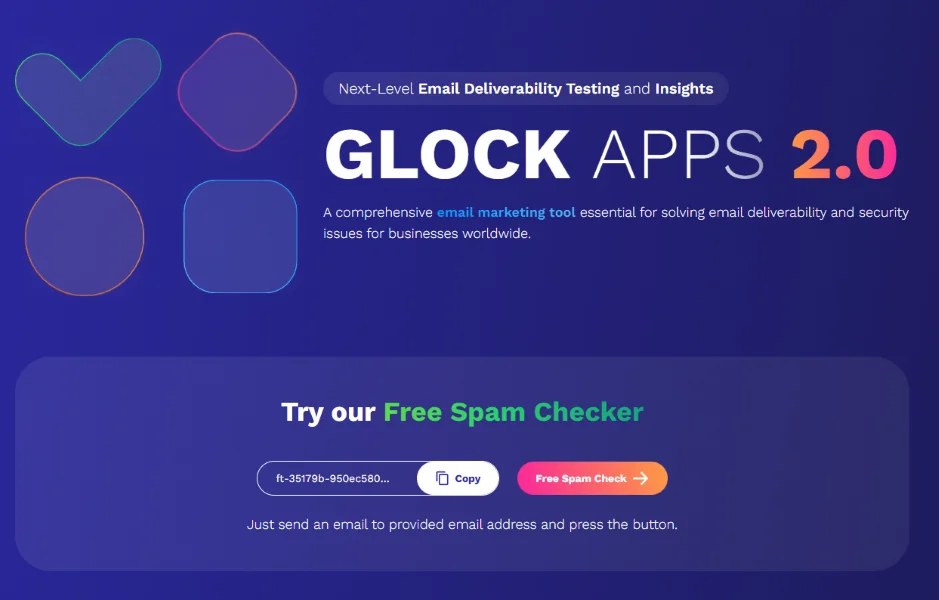
GlockApps
GlockApps is a popular tool that identifies authentication problems in your emails, monitors inbox placement, and more.
Free tip: All of the tools above are free to use or at least have a free plan, so feel free to experiment (pun intended).
Boost your results with this email deliverability checklist
Getting your emails to land in inboxes isn’t just about sending emails. And, in 2026, it is only getting harder.
Preparing your email list, monitoring your infrastructure, and nailing down things like authentication and content quality are part of a tried-and-tested recipe for solid email deliverability.
It may seem overwhelming, so walk through this email deliverability checklist step by step. Each item you tick off is one step closer to showing up in more inboxes.
About the author
Veljko Ristić is a content manager who’s been in the online space for 10+ years. From ads to ebooks, they’ve covered it all as a writer, editor, project manager, and everything in between. Now, their passion is with email infrastructure with a strong focus on technical content and the cutting-edge in programming logic and flows.
About the WordStream Blog
We've been a trusted source of data, news, and strategy for over 15 years. All of our content is written and reviewed by real people: a dedicated team of professionals with decades of combined experience in marketing and advertising for businesses of all sizes.


Add us as a preferred source on Google
Are you wasting money in Google Ads?

Meet The Author
Guest Author
WordStream’s guest authors are experts, entrepreneurs, and passionate writers in the online marketing community who bring diverse perspectives to our blog on a wide range of topics.