Anyone with a laptop or smartphone and a decent internet connection can jump onto the free version of ChatGPT and start doing some pretty amazing things.
So why do millions of people pay for ChatGPT Plus?
To find out, we dug into the details of each tier and tried some tasks to test the advantages of the paid version. To round out this comparison of ChatGPT Free vs. Plus, we spoke with a few users to find out why they chose a paid subscription.
Read on to learn if ChatGPT Plus features are worth the money for you.
Contents
- What is the difference between ChatGPT Free and Plus?
- ChatGPT Plus features vs. Free
- Is it worth upgrading to ChatGPT Plus?
What is the difference between ChatGPT Free and Plus?
The main differences between ChatGPT Free and Plus are that Plus users have earlier access to new features and fewer usage limits.
OpenAI—the organization behind ChatGPT—is constantly adding new capabilities and improving the AI models that power its technology. With each iteration, the Free and Pro tiers also change, so users can take advantage of these upgrades.
Let’s take a quick look at the pros and cons of both versions before getting into more details:
| Feature / Limitation / Benefit | ChatGPT Free | ChatGPT Plus |
|---|---|---|
| Cost | Free (with account & email) | $20/month |
| Model Access / Usage Limits | Up to 10 messages every 5 hours using the latest model; then reverts to a “mini model.” | Up to 160 messages every 3 hours with full model before fallback. |
| Response Mode Choice | Both “Instant” and “Thinking” modes available—but mode is automatically chosen by system. | You can choose between “Instant” or “Thinking” per request for more control. |
| Image Generation | Limited: officially “3 images/day,” though real-world use may be more restricted; no video generation. | Much higher limits: e.g., 50 images every 3 hours; access to video creation engine (e.g., 10-sec clips at 480p). |
| Memory & Chat History (continuity) | Lightweight memory/chat continuity (less powerful, less persistent) | Full memory & more persistent chat history, better context retention across sessions. |
| Agent Mode (automated tasks) | Not available. | Available: can run automated, multi-step tasks—40 agent-messages/month. |
| Custom GPTs / Advanced Tools | Limited access to pre-made custom GPTs through GPT-store. | Full access to custom GPTs and advanced tools/workflows through GPT-store pluss ability to create your own. |
| Suitability / Use Case | Great for occasional queries, basic writing, quick tasks, experimentation. | Ideal for heavy usage, professional workflows, content creation, research, and complex tasks. |
OpenAI tends to follow a pattern when it rolls out new versions. Updates go to paid plans only first. After a few months, free users get access to either the full version of the upgrades with usage limits or a lightweight version that has less functionality than what paid users get (or a combination of both).
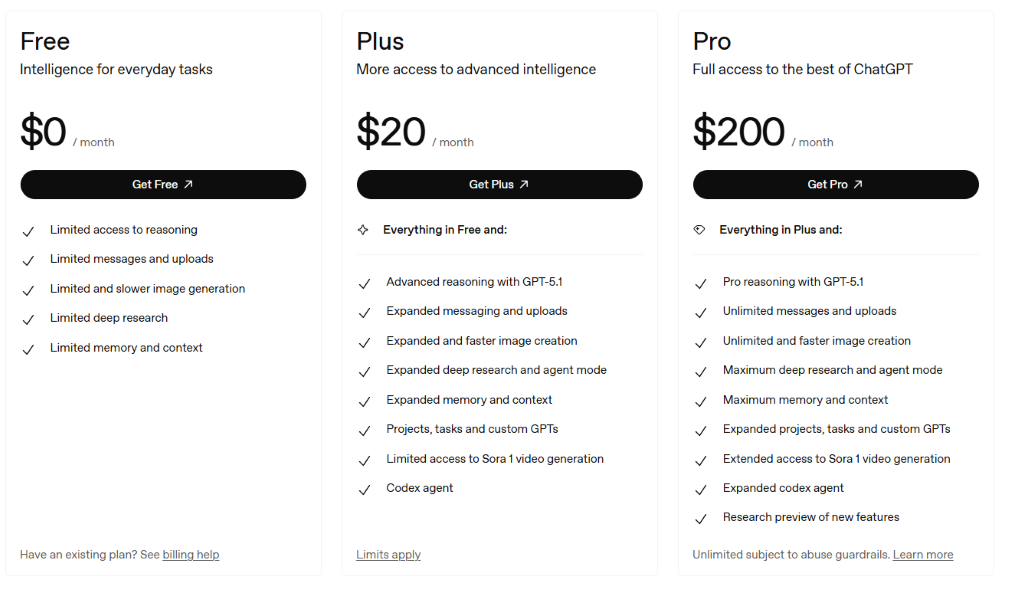
Notice the reference to “Limited” in every feature of the free plan in OpenAI’s pricing chart:
ChatGPT Plus features vs. Free
Both the Free and Plus tiers of ChatGPT offer a lot of analytical and organizational power. Let’s zoom in on what sets the two plans apart.
Cost
The ChatGPT Plus tier costs $20 per month. There are no available discounts for long-term contracts. The free version is, of course, free. However, you do have to give up your email address and create an account to access all the features of the free plan.
There are other tiers available, such as the Pro plan, which costs $200 per month. That’s a pretty big chunk of change to shell out, so we’ll just cover the free and Plus tiers in this guide.
Model access
The default AI model for all ChatGPT tiers—both paid and free—is GPT-5.1. The model is the underlying AI engine that decides how well it understands your request and how intelligently it responds. 5.1 is the most advanced, and every tier gets to use it…at least at first.
ChatGPT Free tier accounts are limited to sending 10 messages using GPT-5.1 every five hours. The mini version of the model will handle any work after that until access is reset.

If you’re a Plus user, you can send up to 160 messages with GPT-5.1 every three hours. Once you hit that limit, you’ll be on the mini model version.
Response modes
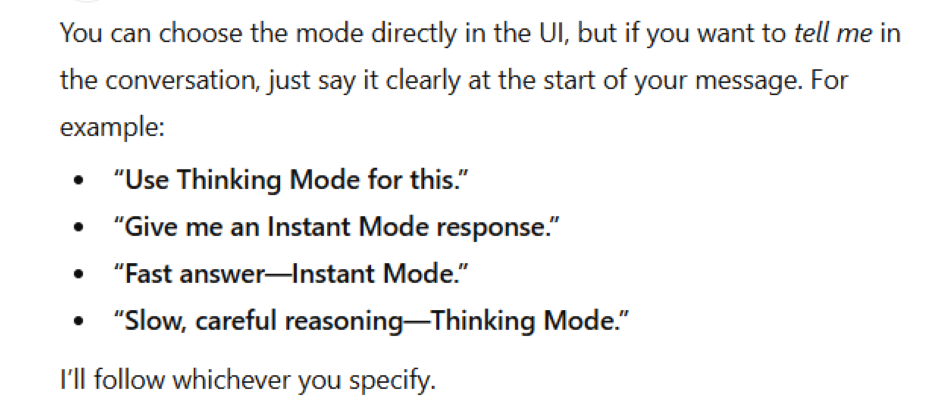
GPT-5.1 has two main communication modes: Instant and Thinking. Free tier users have access to both, but ChatGPT gets to decide when to use each. With the Plus tier, users can choose which mode to use with each request by adding that direction to their prompt.
Here’s what each response mode does:
- Instant provides lighter, faster responses in a conversational tone.
- Thinking uses deeper reasoning, takes longer to process, and delivers more thorough answers, often in a more analytical style.
Here’s an example of how they each work. I asked ChatGPT Plus to answer a fundamental SEO question using Instant mode. It took a few seconds and offered a very short answer.
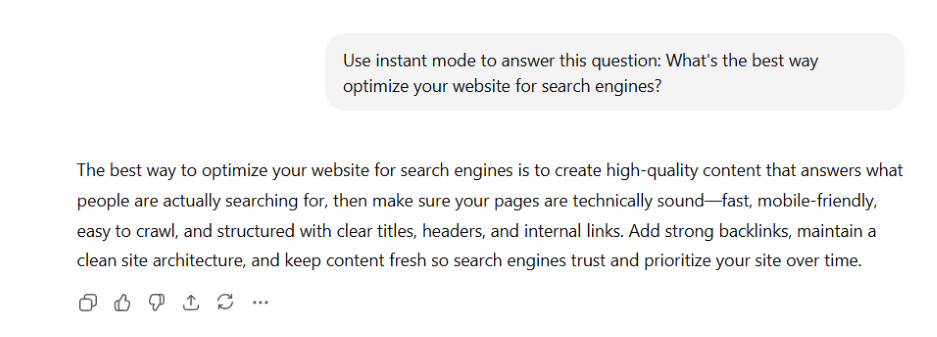
Then I gave it the exact same question, but prompted it to use Thinking mode. About 45 seconds later, I had a much more detailed response.
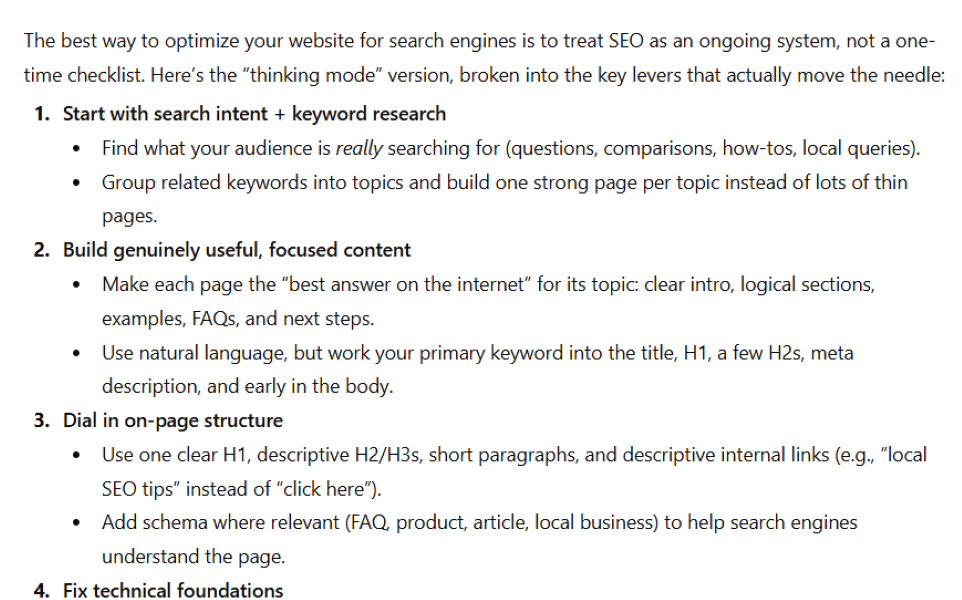
Image and video creation
ChatGPT has gotten much better at creating a variety of image and video types with fewer oddities (like people having six fingers).
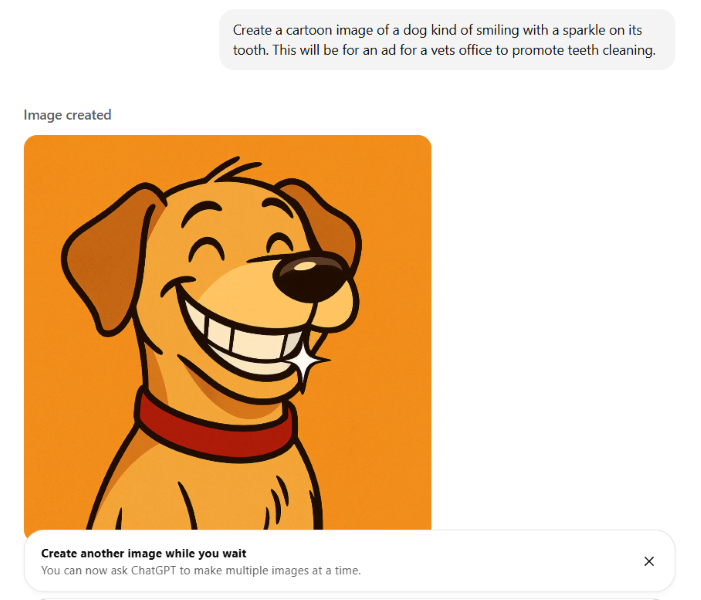
Officially, Free users can generate three images per day, but in practice, you could get blocked after creating just one. The Free tier does not allow for video generation.
With Plus, you can create 50 images every three hours. You also have access to Sora, ChatGPT’s video creation engine. At the Plus tier, you can create videos up to 10 seconds long at 480p.
Memory
ChatGPT Free users have access to a lightweight version of saved memories. Plus, users get a more powerful version of saved memories and chat history that remembers more details longer.
Saved memories are details such as your name, preferences, and goals that ChatGPT applies to future conversations. It’ll automatically remember some things, but you can also tell it to remember something—like not to use EM dashes.
Chat history references past conversations, even if they’re not saved as a memory. So if you ask it about a bank, it might remember that your last conversation was about rivers, not financial institutions.
Free tier users will get some continuity across recent conversations through the lightweight erosion of saved memories. Plus, users can tell ChatGPT to remember details for the long haul and will also see its previous conversations influence future interactions more profoundly. In either case, you can tell ChatGPT to forget what it knows for a specific request.
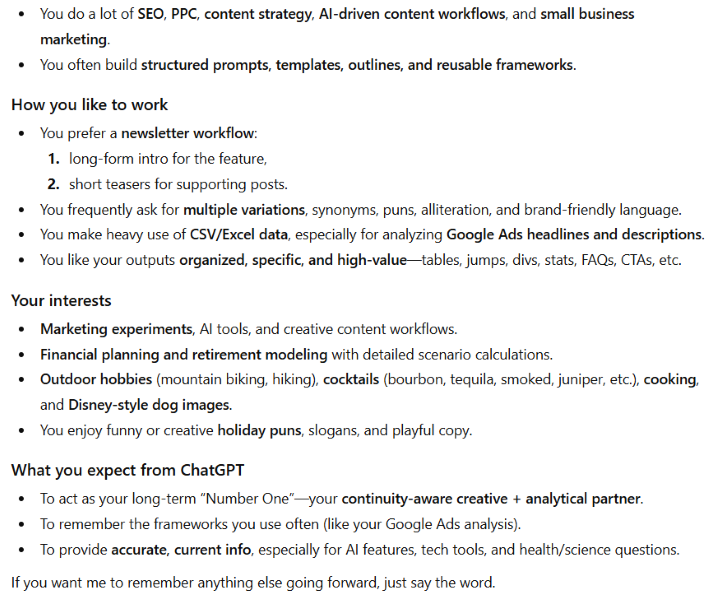
I asked ChatGPT Plus what it remembered about me to see how far back its memory went. It was pretty good, although it overestimated my interest in Disney-style dog images.
Agent mode
ChatGPT Agent is one of the most complex and useful new features of ChatGPT, and it’s only available to users on a paid plan.
Agent can take a complex task, like finding and booking a hotel, break it down into steps, and execute them to accomplish a goal. And it can do it without you guiding it each step of the way.
For now, the ChatGPT Free tier does not offer access to Agent. Plus users get 40 messages per month using the Agent.
I recently had Agent mode review a large list of Google Ad headlines to find the frequency of power words.
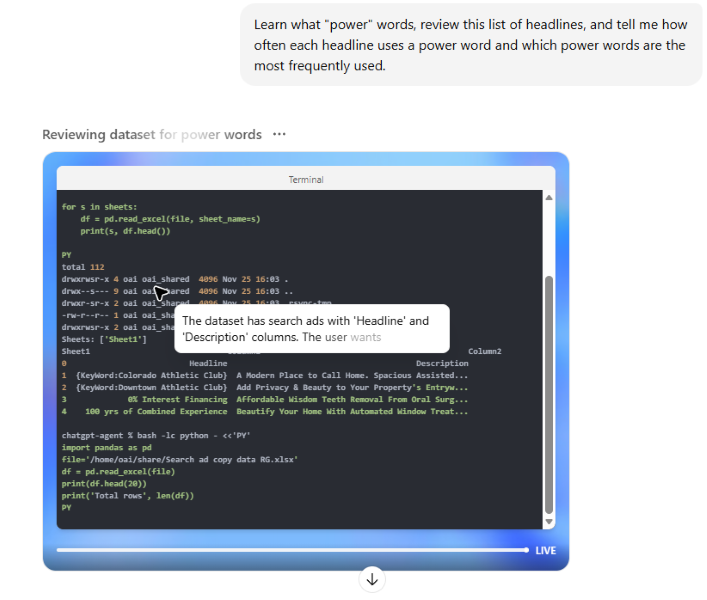
Agent mode can search websites, learn, and compile a lot of data, which is great for summarizing online reviews or competitor information.
I could watch it review articles about power words, create its list, and apply it to the data set.
Custom GPTs
Custom GPTs are tailored versions of ChatGPT that you can build to perform specific tasks, workflows, or roles. Free users have limited access to GPTs created by others. People paying for the Pro tier can create their own.
Think of GPTs as very complex prompts that can include rules, exclusions, style guides, and more.
You don’t need to know how to code to create customer GPTs. But they can get very complex, so some users save theirs and make them available to other users in the GPT store.
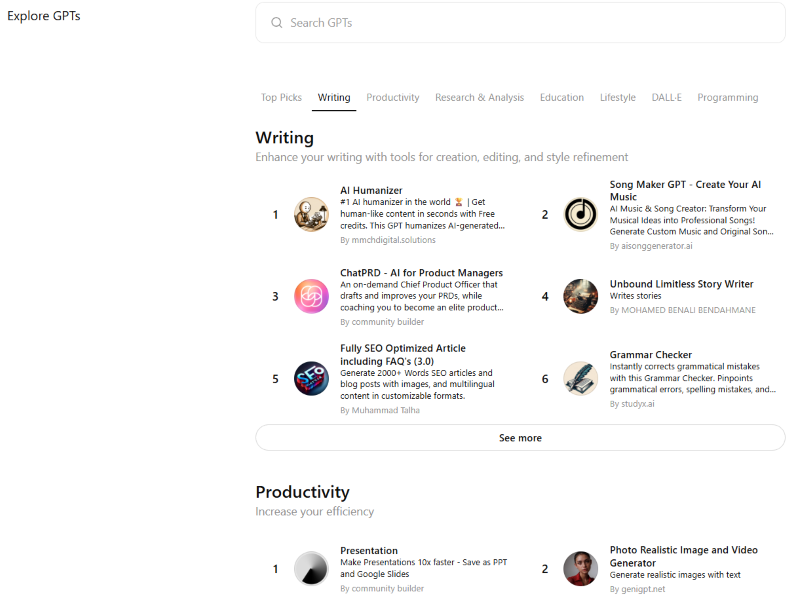
The GPT store has dedicated GPTs for everything from legal reviews to content marketing tasks.
You can browse and use a limited number of these existing GPTs in the Free plan. As a Pro user, you can use GPTs from the store more often and build one yourself (
When is it worth upgrading to ChatGPT Plus?
Upgrading to ChatGPT Plus may be worth it if you need better session continuity, greater access to advanced models, and creative tools like video generation. For anyone who uses AI for work, content creation, or heavy research, Plus delivers noticeably better output and far more capability than the free version.
That said, the free version of ChatGPT has a lot to offer. To help you decide if it’s worth paying to upgrade, I asked a few people who’ve made the switch to explain why.
You run complex projects
ChatGPT recently gave its Free plan access to a feature called Projects. But there are limitations compared to what’s available in paid plans.
“The paid version of ChatGPT gives me greater access to Projects,” Anna Yang, a freelance fintech writer who also publishes frequently through Substack, explained. “With Projects, I can save instructions and upload files for ChatGPT to reference in every conversation.”
A Project is a workspace within ChatGPT that lets you essentially build a small app without coding. It has its own file system, memory, and code interpreter so you can store and access data, connect with APIs, and build complex workflows.
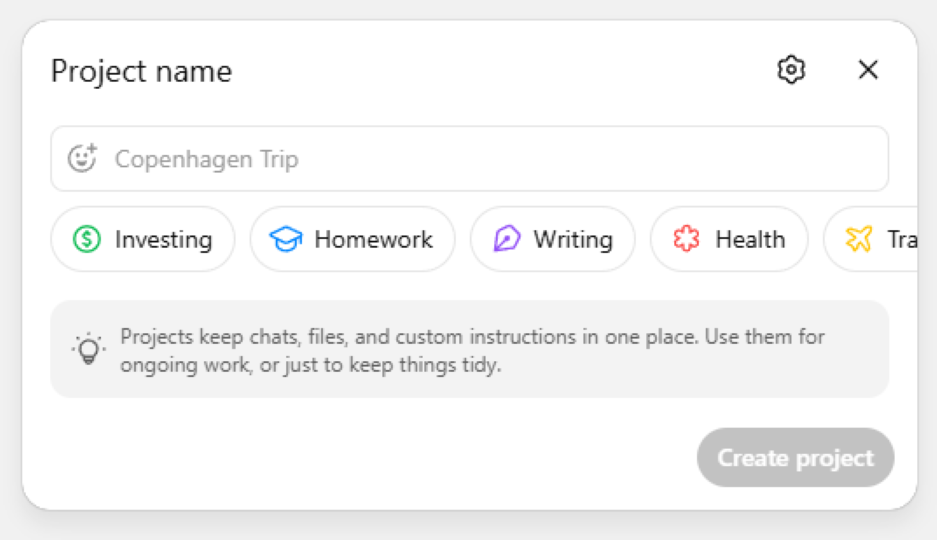
“For example, I have an editing project set up for my writing,” Anna said. “In the instructions, I have information about who I am and my audience. In the project’s attached files, I have a voice and tone guide for my blog.”
Projects make it so you can do the same job over and over without needing to give ChatGPT all the rules and guidelines every time.
“I’ll add the draft of a new blog post into the chat and ask for feedback,” Anna added. “ChatGPT will compare it to my Voice and Tone guide and let me know if I need to fix anything. It will also offer suggestions based on my audience. Self-editing is hard, and this Project gives me ‘feedback’ that I wouldn’t get otherwise.”
On the Free tier, you’re allowed to include up to five files per project. The Plus plan bumps that up to 25 files.
Let’s say you want to create a Project that monitors your business’s online reviews, stores historical sentiment, updates a local database, generates summaries, and alerts you when ratings dip. That would require files for API connections, a database, sentiment models, alert logic, configuration variables, and a report template. You’d need the extra file capacity for that type of Project.
You need next-level research
ChatGPT’s deep research mode can complete multi-step research tasks and synthesize large amounts of data to provide an in-depth synopsis on a topic. With the Free plan, you can use a lightweight version of Deep Research five times per month, while Plus users can run 25 queries on the full version of Deep Research.
“I get quite a bit of usage out of GPT-5 Pro for research tasks,” Katie Parrott, a staff writer and AI editorial lead at Every. “It’s sped up my client-facing work quite a bit, and I recently used it to dredge up passages from Frankenstein for an article I’ll write for Every.”
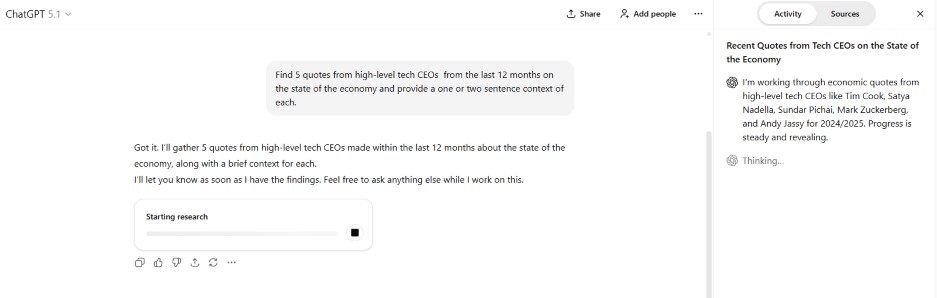
You’ll get five times as many deep research queries with a ChatGPT Plus subscription.
If your main use cases for ChatGPT include finding a few public statistics and offering blog title suggestions, then paying for deeper access to research won’t be as helpful. On the other hand, if regularly running in-depth competitive content-gap analysis where AI needs to crawl competitor content, categorize themes, evaluate authority, and spot gaps, the cost of ChatGPT Plus is well worth it.
You do a lot of context switching
While the free version of ChatGPT can do so many things, it throttles bandwidth and memory. When you spin a lot of plates and need to jump between them to avoid a crash, those limitations can be costly.
“I do a mix of personal training and freelance writing, so I’m always bouncing between different projects like client programs, blog posts, article crafting, things like that,” said Carlos Lacayo, a personal trainer and freelance writer. “The paid version of ChatGPT has been a quintessential tool in keeping everything running smoothly.”
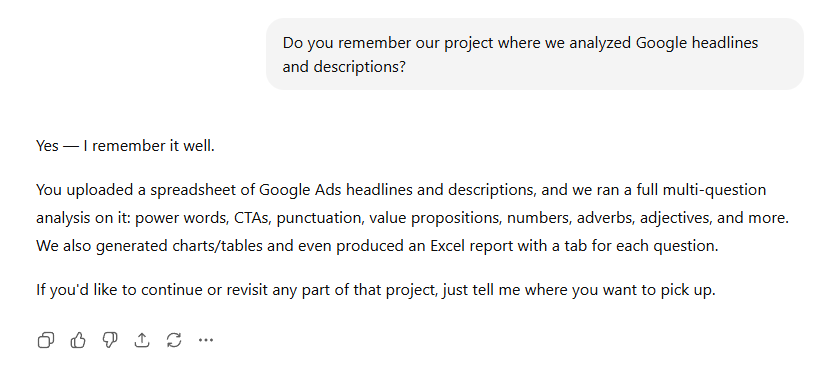
ChatGPT Plus’s memory makes it easy to switch between projects.
Carlos uses ChatGPT Plus to plan content, outline writing projects, and organize his workflow. It doesn’t suffer from speed issues during high-usage times, unlike the free version. “It’s faster and doesn’t freeze up on longer prompts. It gives me cleaner, more usable responses right away.”
The robust memory of Pro also makes it easier for Carlos to jump in and out of longer projects. “I can build things step by step, have long back-and-forth conversations, and pick up exactly where I left off,” he said. “The free version usually taps out pretty quickly, but the paid one keeps the context and stays consistent.”
The free tier of ChatGPT will be plenty powerful if you want to jump in and get a few answers or jumpstart your creativity on a writing project. But if you’ll be starting and stopping multiple complex workflows, Plus should be a strong consideration.
Is paid ChatGPT better than free?
In that it has earlier access to new features and fewer restrictions on use, yes, paid ChatGPT is better than the free version. But the real question is, is it better for you?
Take stock in how you currently use the tool and list a few ways you’d like to start using it in the near future. Start with the free option, see where you bump up against its limits. If you can accomplish everything you need to, save the money. But if you find things on your to-do list that ChatGPT Free won’t do (or won’t do easily), give Plus a go. And luckily, you can cancel your subscription any time so that you won’t be out a lot of money.
No matter which option you choose, ChatGPT—and AI in general—can help you grow and market your business in many ways. Here are some expert guides that’ll help you do more faster:
- 6 Ways to Use ChatGPT for Small Business Marketing (+6 Ways Not to Use It)
- 20 Completely Awesome ChatGPT Prompts for Marketing
- 6 Ways to Use ChatGPT for SEO (Without Killing Your Rank)
- 14 Ways to Use AI in Marketing That Actually Work (Recommended by Pros!)
- 9 Ways to Use AI for Hyper-Personalized Ad Campaigns
About the WordStream Blog
We've been a trusted source of data, news, and strategy for over 15 years. All of our content is written and reviewed by real people: a dedicated team of professionals with decades of combined experience in marketing and advertising for businesses of all sizes.


Add us as a preferred source on Google


Meet The Author
Rob Glover
Rob is the Senior Copywriter at WordStream and LocaliQ, with over 10 years of experience in paid and organic marketing—including SEO, social media, content marketing, and local search. He’s worked across dozens of industries, from SMBs to enterprise, and now specializes in helping businesses build sustainable growth strategies. His work has appeared in Search Engine Land, eMarketer, and more. Outside of marketing, he loves to travel, camp, and mountain bike with his wife and dog.
Recommended for you