About the Author


With AI and automation continuing to take more control of ad service, it’s becoming increasingly more important for companies to to have a say in how their brands are being represented. For better or worse, many of these automated solutions can simply outperform the more manual options of the past, but that doesn’t mean your brand’s look and feel should be sacrificed.
Google Ads brand guidelines aren’t necessarily a centralized set of controls, but they can help you rein in how your ads will look. With these new controls, you can now rest (more) assured that your company won’t be shown in ways that are incongruous with your branding.
For this article, let’s go through all the ways you can influence brand guidelines in the Google Ads interface.
Contents
Every type of Google Ads brand guidelines you can apply to your campaigns
Brand guidelines are settings you can input within the Google Ads platform that guide how automated campaigns curate your ads. Here are all four options of these brand controls for ads, which campaigns they can apply to, and how to use them.
💡 Are your Google Ads aligned with your brand for maximized performance? Find out, and get ideas to optimize further, using our free Google Ads Grader!
1. Business name and logos
This is the most basic set of brand guidelines Google has given us.
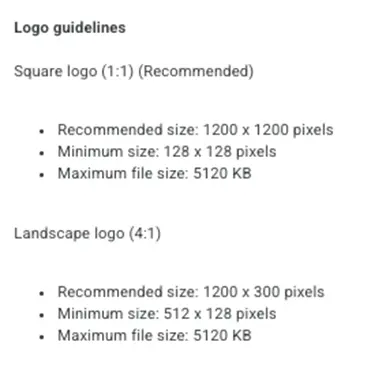
These controls include your company’s official business name, as well as space for a square and landscape logo.
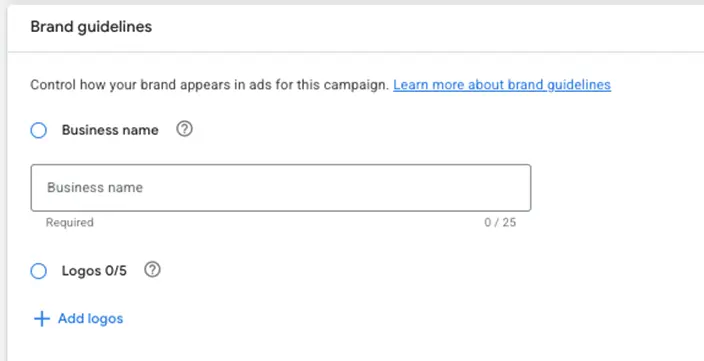
For “business name,” you’ll notice you’re limited to 25 characters. This can be pretty limiting for some businesses. I have some clients whose names don’t fit in that space, so we have to get creative. If you have to do the same, don’t be surprised if Google throws an error when you get too creative.
Logos are a great way to help your brand stand out. I’d recommend adding all five variants you’re allowed. Avoid variants that include a sub-brand or tagline and use dark and light versions if you have them. These logos may appear really small, so ideally, the ones you choose are recognizable even when very small.
Where these work
Business name and logo guidelines are used in multiple campaign types and can be found in different placements:
- Performance Max: They live at the asset group level for these campaigns.
- Demand Gen campaigns: These controls live at the ad level and will be part of the ad creation process.
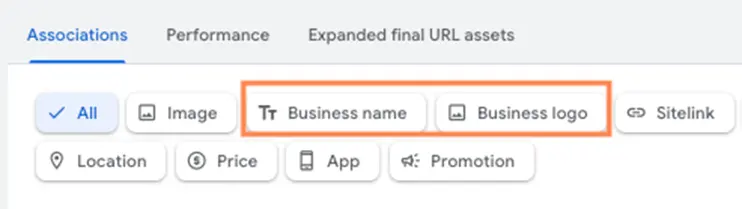
- Account-level assets: To ensure you have a “catchall” for coverage, you can add your business name and business logo as assets in your account. These can be used at the account or campaign level.
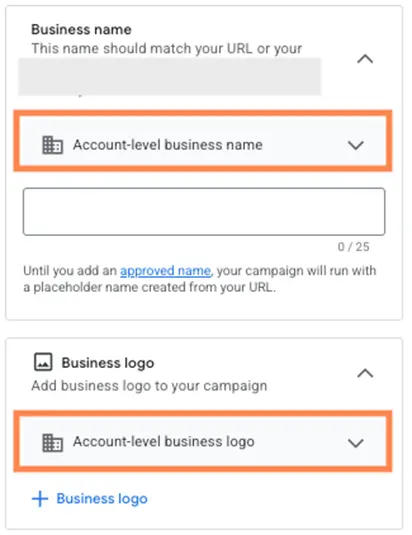
- Search campaigns: These assets can also live within Responsive Search Ads, but as you can see in the image below, if you’re using account-level assets for business name and logo, those will also populate into RSAs.
2. Brand colors
For campaigns that need to use a more visual component, you can customize the colors Google uses to create ads for your brand as well.
We only have control for a primary brand color and a secondary accent color, but these allow for hex color codes, so you can be as specific as you want to be with your colors. No picking from a generic rundown of 20 or more shades of colors, or using a color slider, which leaves room for error.
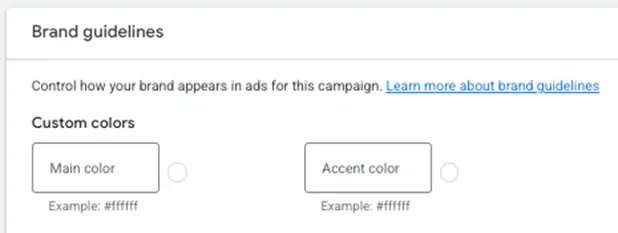
These colors can be used in many different places in ads, including background colors, calls to action, accent elements, and more.
It’s important to know that these are guidelines, not hard rules for Google. If performance dictates that your colors don’t perform as well, they will use their own to try to get better results.
Where these work
- Performance Max: These live at the campaign level alongside all other brand controls.
- Demand Gen: These controls will live at the campaign level under the brand guidelines section.
3. Fonts
In some select accounts, we also have control over which fonts Google will use for our ads.
These usually show right alongside the color code controls.
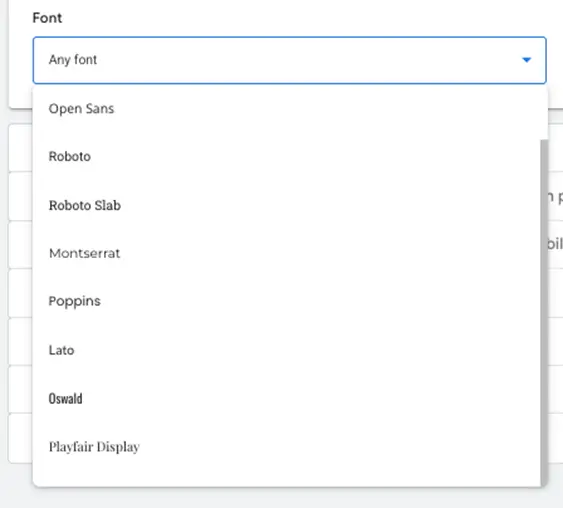
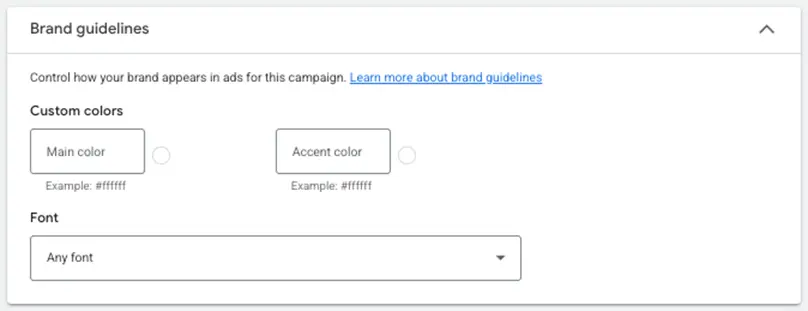 In the image below, you can see the entire list of fonts Google offers. This is less customizable than other functions in brand guidelines, but I’ll almost guarantee you’ll be able to find something that’s at least close to what you’re currently using.
Where they work
- Limited Performance Max coverage: From what I can tell, there are some accounts that have font controls for PMAX and others that don’t. For those who do, they live at the campaign settings level.
- Demand Gen: These controls live alongside the color pickers at the campaign level.
❓Is the branding in your ads costing you customers? Find out with our free guide to 10 marketing gaps that cost you customers (and how to fix them)!
4. Ad copy tone and messaging signals
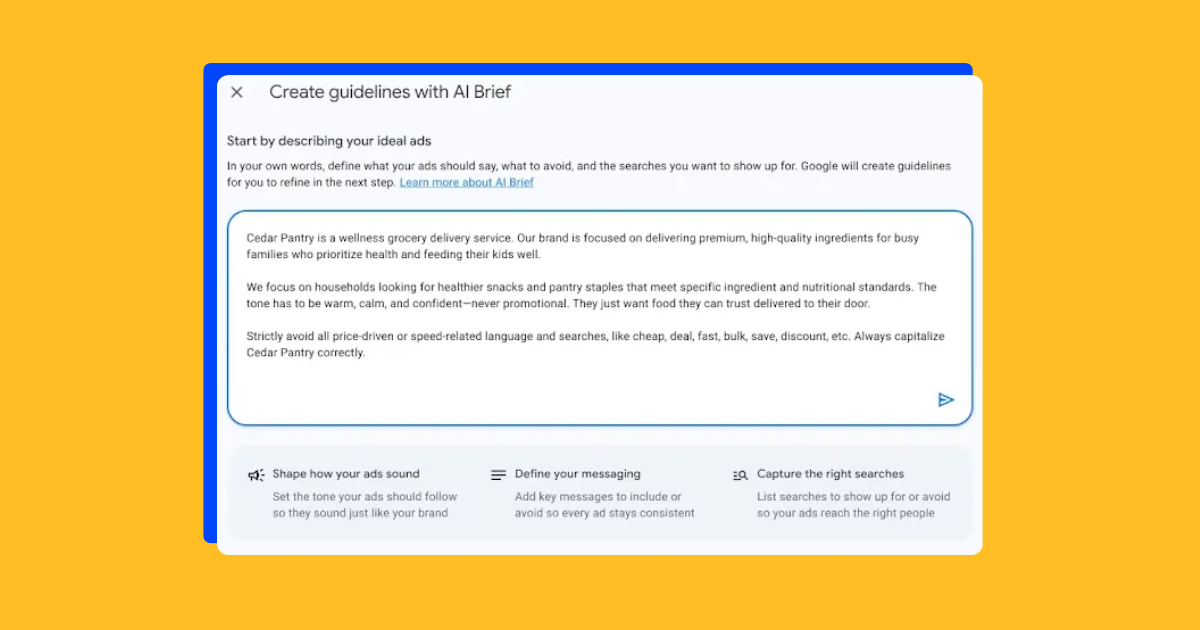
The most recent set of controls is designed to help Google draft ad copy that better fits with your tone, affect, and messaging.
These features are so new that I don’t actually have them available in my accounts just yet, so we’re going to rely on our friends at Search Engine Land to give us a view of what they could look like.
In the image below, you can see there are two main sections for these controls:
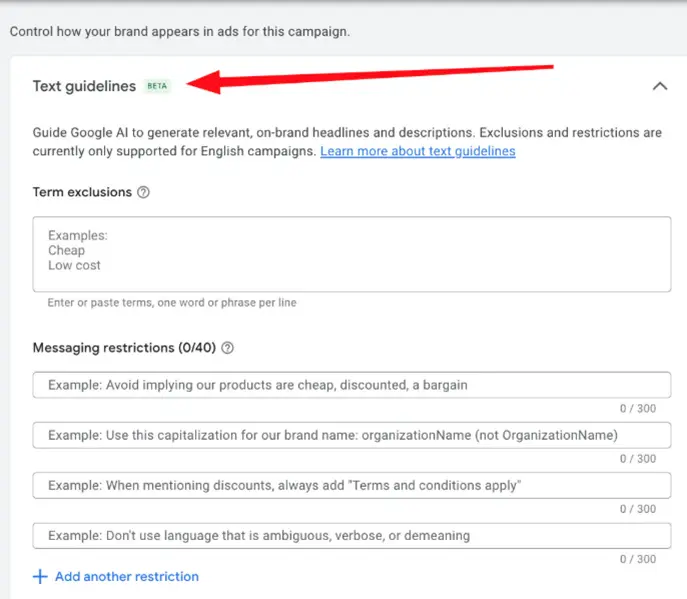
Term exclusions seem to be similar to negative keywords in Google, meaning you enter terms or phrases you don’t want Google to use in your ads here. The example shows “cheap” or “low cost,” which would signify not wanting your brand to be seen as inexpensive or a bargain. If there are certain terms you need to stay away from, either from an aesthetic, positioning, or even legal standpoint, this is where you would add them.
Messaging restrictions allow you to add up to 40 different directives to Google. These seem to be more conversational, as if you’re talking to a creative team who is making ads for you (which…you kind of are). Here, you can add in things like “Avoid implying our products are cheap, discounted, or a bargain,” which mirrors the term exclusion above. But you can also say things like “Use capitalization for our brand name: organizationName (not OrganizationName) to help drive those brand guidelines home. With 40 different directives (each with 300 characters available), this seems to be quite a bit of direction Google thinks it’s capable of accepting.
Where these work
- Performance Max: Since this feature is only compatible with campaigns that use text customization, Performance Max is one of the two places it can be used. These settings will live at the campaign level.
- Search ads using AI Max: This setting will live at the campaign level for AI Max campaigns that are opted into text customization.
Takeaways with brand guidelines
Overall, AI features within Google can really help you see strong performance from your campaigns, but if you’re leveraging Google’s features to help create your ads, it’s important to make sure you have control of how your brand is being conveyed.
Just a few things to keep in mind before you dive in:
- Brand guidelines are distributed: Unfortunately, not all brand guidelines live at the account level. Instead, they’re at the campaign level, so make sure you have all controls in place as needed throughout your account.
- Advisory, not absolute: Additionally, brand guidelines are not hard, fast rules. Google will take them into account, but things won’t be perfect.
- Only as strong as your input: Even if they’re not perfect, just like everything else in the era of machine learning, the better information you put in, the better outputs you’ll get.
Take full advantage of all brand guidelines, and you’ll see the best on-brand outcomes you could ask for from Google. These controls might not be absolute, but they’re incredibly better than what we’ve had in the past and a big step forward to quashing any hesitations brands have about leveraging automation. For more ways to optimize your search strategy, see how our solutions can help!
About the WordStream Blog
We've been a trusted source of data, news, and strategy for over 15 years. All of our content is written and reviewed by real people: a dedicated team of professionals with decades of combined experience in marketing and advertising for businesses of all sizes.


Add us as a preferred source on Google


Meet The Author
Michelle Morgan
Michelle is the Co-Founder of Paid Media Pros. She has twelve years of experience in all aspects of PPC and brings a wealth of experience developing and executing campaigns across search, social, and display platforms in both agency and in-house settings. Her experience gives her an especially well-rounded and holistic view of the paid search landscape—one she shares regularly as an influencer, author, and industry speaker at events like SMX, HeroConf, and Pubcon, as well as the Paid Media Pros YouTube channel.